
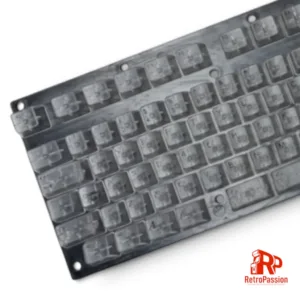
Amiga Transparent Keycaps A1200 A500 A600 Multiple Layouts
Commodore Amiga Transparent Keycaps A1200 A500 A600 & CDTV Keycaps
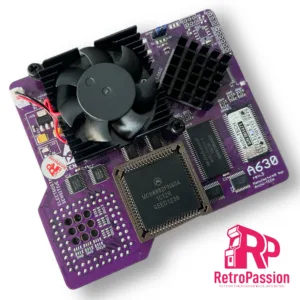
A630 Accelerator Amiga A600 68030 50Mhz, 128Mb, FPU PURPLE
A630 Accelerator Amiga A600 68030 50Mhz inc FPU PURPLE EDITION is the latest revision of the A630 modern turbo card with the classic 68030 Motorola processor running at 50Mhz and also includes an onboard FPU. Perfect for that sweet spot in speed and usefulness for Demos, WHDLoad* gaming, internet and so on. This will give any A600 a great speedboost in a compact unit.
Full specs:
- CPU MC68030, clocked on 50MHz.
- FPU 68882FN40 – synchronous or asynchronous clocking.
- 128MB SDRAM Fast Ram.
- Cooling: Active included.
- PCMCIA Friendly.
- PCB Colour – Purple
Important Information:
MMULib’s for the A630 Accelerator
The A630 Accelerator requires the installation of MMULib’s and it very important you use the right ones for the kickstart ROM you are using:
3.1 Kickstart:
http://main.aminet.net/util/libs/MMULib.lha
http://main.aminet.net/util/libs/MMULib.readme
3.2, 3.2.1 or 3.2.2
Install the MMULib package that came with the installation CD ONLY and NOT the ones from Aminet.
Notes:
- Some demos or games may require disable “CPU CACHE” for better compatibility with the MC68000.
- The card is designed to work with 3.1 Roms and above including 3.2 and 3.2.1 of which can be purchased below.
- An internal HDD/CF/SD Card needs to be installed for the A630 to boot.
*2Mb Chip ram is strongly recommended for WHDLoad which is available here
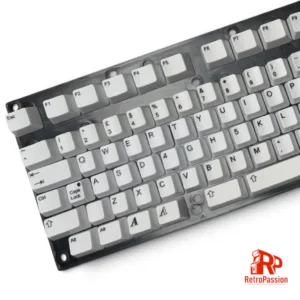
Amiga All White Keycaps A1200 A500 A600 Multiple Layouts
Commodore Amiga All White Keycaps for the A1200 A500 A600 & CDTV.
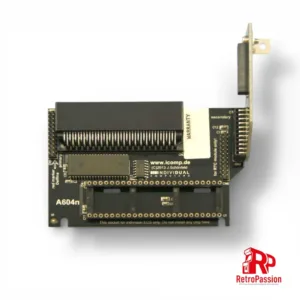
Amiga A600 A604n 1Mb Chip Ram Expansion Card
Amiga A600 A604n 1Mb chip ram expansion card provides 1Mb chip ram upgrade for a total of 2Mb chip ram.
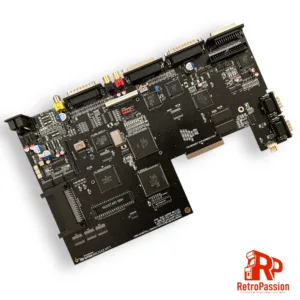
Amiga A600 Junior Motherboard Fully Built
Amiga A600 Junior motherboard, a direct replacement for the original A600 motherboard. with options of customer supplying a donor board or I supply a donor.
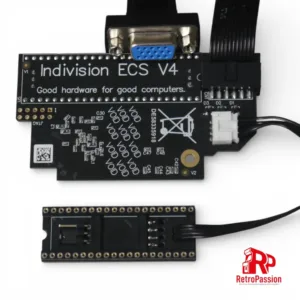
Indivision ECS V4 A600 Flickerfixer/Scandoubler
Indivision ECS V4 scandoubler/flicker fixer for the Commodore Amiga A600 with VGA output. This upgrade requires an A603, A604 or A604n memory expansion to function.

Immortal Joystick – Full Metal Enclosure Joystick
Immortal Joystick, a high-end joystick for the serious gamer. These are not manufactured but are built using high end parts encased in a full metal enclosure, designed and manufactured by Immortal Joysticks.