
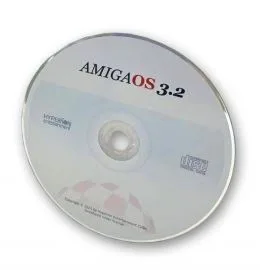
AmigaOS 3.2 CD-ROM Package for ALL Commodore Amigas
AmigaOS 3.2 CD-ROM and licence for all Commodore Amiga’s which includes kickstart ROMS and installation media (ADF) for most of the Commodore Amiga Family of computers
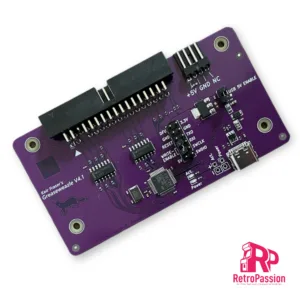
Greaseweazle V4.1 USB Floppy Adapter Flux Reader Writer
Greaseweazle v4.1 allows versatile floppy drive control over USB. By extracting the raw flux transitions from a drive, any disk format can be captured and analysed.
This includes, PC, Amiga, Amstrad, PDP-11, musical instruments, industrial equipment, and more. The Greaseweazle also supports writing to floppy disks, from a range of image file formats including those commonly used for online preservation (ADF, IPF, DSK, IMG, HFE).
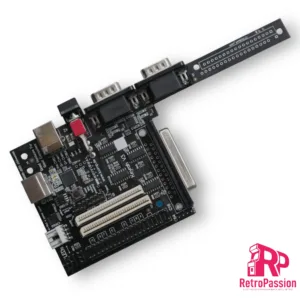
Keyrah V3 – Commodore Amiga, Atari ST, PC
Keyrah V3 allows you to connect original keyboards of classic computer systems like the Commodore 64 or the Amiga 1200 to modern computers (e.g. PC, Mac, or the Raspberry Pi) via USB.
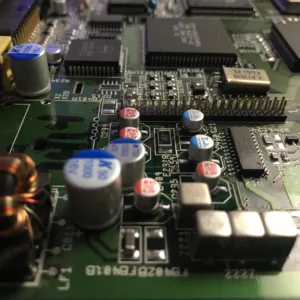
Amiga 4000 Recapping Service (Premium)
Amiga 4000 recapping service (Premium), all board revisions, NOTE this is NOT a repair service.
- Check of the board before recapping is begun.
- Removal of existing capacitors.
- Cleanup and preparation of area.
- Replace using Polymer Panasonic/Wurth/KEMET capacitors. (these will never leak)
- Retest (Video, Audio, Floppy Boot, IDE).
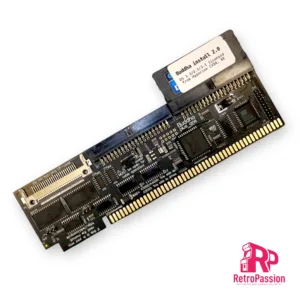
Buddha Plus One IDE Controller Commodore Amiga
Buddha Plus One IDE Controller for Commodore Amiga with zorro slots (2023 version) is a IDE controller for Amiga computers with Zorro slots (Amiga A2000, A3000, A4000 CheckMate 1500 Plus with Zorro interface) and provides you connectivity for hard drives,CD-Rom Drives, DVD Drives (both readers and writers), and of course CF cards and SSD with PATA interfaces..
Buddha Plus One features:
- Two IDE ports
- One CF card slot
- 1Mb of Fast Ram
- GUI-based settings tool
- Elaborate LED concept
- High Speed
- Multiple measures to prevent wrong installations
The two IDE ports and the CF card slot are non-conflicting. This means that you can use up to five mass-storage devices at the same time, and if that’s not enough, you can add more Buddha controllers to the same computer!
Added memory
While the combination of a mass-storage controller and memory on the same card is not a new invention, the 1MByte of true 0-wait state fast memory of the Buddha Plus One controller does not conflict with existing memory cards. If you are expanding a system that has already maxed out it’s 8MByte of Z2 space (no matter if it’s fastmem, a PC bridge card or RTG graphics), Buddha Plus One will still add 1MByte of memory, without using any of the precious Z2 expansion space. A2000 users can choose to map the memory to one out of two addresses: The legacy “trapdoor memory” address $c0.0000, where it adds compatibility with old software titles (especially for machines that have been expanded to 1MByte or 2MBytes of chip ram), or to the normally-unused address space at $a0.0000. A3000 and A4000 users can only use address $a0.0000. Memory is not available if installed in a Zorro expansion of an A1200.
Robust against installation errors
Buddha Plus One has a long heritage and we’ve learned from numerous support cases of the past decades that in the heat of the moment, you may accidentally plug in the card the wrong way round. For the first time in Amiga history, we’re presenting mechanical and electrical measures to either prevent wrong installation, or to keep the controller safe from harm if you manage to plug in the card the wrong way round. Just flip the card around and it’ll work as if nothing bad ever happened.
Easy configuration
While previous versions of the Buddha controller could only be controlled with command line tools, Buddha Plus One introduces a GUI that is provided in the ROM of the controller, so no software installation and/or download is required. This GUI will even work with Kickstart V1.3!
Elaborate LED concept
The original Amiga computers only have a single HD LED. Buddha Plus One will unite all access-LEDs (including onboard IDE/SCSI accesses) into a single one without soldering or complicated configuration steps. Two LED cables are included with Buddha Plus One, making LED wiring easy without soldering, and without the need to drill holes for additional LEDs into precious original cases. The LED output will automatically sense how many LEDs there are in a row (one in case of A2000/A4000 or two in case of the A3000), and the LED input of Buddha Plus One will accept any polarity.
Quick boot support
The Amiga can start blazingly fast. Amiga users are so used to having a usable desktop within seconds after switching on that every single additional second is already a reason to be worried. Buddha Plus One gives the user various options to skip unnecessary wait times: The maximum time that Buddha will wait for a drive to spin up can be set in the graphical startup menu. Unused ports can be switched off, and if you have an onboard IDE/SCSI controller that you’re not using any more, it can also be switched off in the Buddha Plus One configuration, saving several ten seconds of boot time.
Improved speed
Let’s face it: Buddha has never been a speed demon. The Z2 bus with it’s 7MHz and 16 bits has it’s limits, and that’s in the neighbourhood of 2.3MBytes/second, measured with a medium-speed 68020 or 68030 CPU. However, there’s two special cases where Buddha Plus One adds significant transfer speed: First, an un-accelerated A2000 would struggle to reach 800KBytes/s with a 7MHz 68000 CPU on previous versions of the Buddha controller. Buddha Plus One now adds hardware acceleration that improves transfer rates with 68000 CPUs by about 35%. Buddha Plus One with a 7MHz CPU beats the “magical” 1MByte/second barrier by a large margin. The second special configuration where Buddha Plus One can add speed is in the Z4 board for an A1200 computer. Z4 boards are also known as “Elbox Z4” or “Winner Z4” Boards, and they sport a “Fast-Z2” mode that can add up to 50% to measurable transfer speed. We recommend to only activate this mode if only CF cards or DOMs are used. Stability with long IDE cables may not be given.
Extended software installation
Buddha Plus One comes with a DOM (disk-on-module) pre-installed. This DOM contains our automatic partition/install tool and licensed copies of Amiga OS 1.3, 2.1 and 3.1. Partitioning and installing a CF card or hard drive has never been easier! Even if you have lost your OS installation floppies or your floppy drive is defective, you can bring your Amiga to life within minutes. If a CD ROM drive is found, drivers and file system are also automatically installed, letting you install more software or Amiga OS V3.2 from CD (Amiga OS3.2 is available separately in this shop). If there is any version of the X-Surf networking card in your computer, you can continue to install a TCP/IP stack and network GUI. This will break the vicious circle of having to transfer software to the Amiga in order to install a transfer method for software.
What’s included:
- Buddha Plus One
- LED extension 24cm
- LED connection cable 24cm
- Instruction manual (English/German)
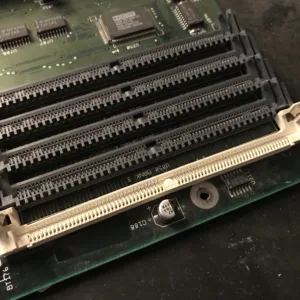
72-Pin SIMM Socket Replacement Service Amiga 4000
72-Pin SIMM Socket Replacement Service for the Amiga 4000
This service includes:
- Removal of the defective or broken Simm socket/slot.
- Replace with correctly angled 72 pin Simm socket/slot with metal clips.
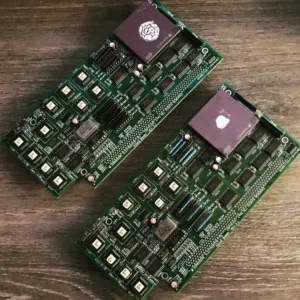
A3640 Accelerator Recapping Service
A3640 accelerator recapping service, all board revisions. NOTE this is NOT a repair service.
- Check of the board before recapping is begun.
- Removal of existing capacitors.
- Clean-up and preparation of area.
- Replace using Panasonic capacitors and correcting polarity of 3 capacitors.
- Retest
Overseas recapping orders
Overseas orders are very welcome and we are able to provide you return shipping costs at the checkout.
To do this add any of our recapping services to your shopping basket and then at the checkout simply fill in the billing and shipping form including your telephone and email address (important) and click the ‘Request a quote‘ link.
You will receive an email within 24hrs with the shipping cost and you can then proceed with the order by clicking on the ‘Complete your order‘ within the email. There is no need to leave the checkout page open your web browser.
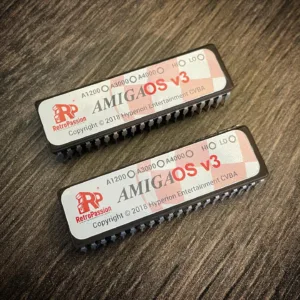
AmigaOS 3.2.3 A4000 ROM Burning Service for Amiga A4000
AmigaOS 3.2.3 A4000 ROM Burning Service for Amiga A4000, within this service we will burn the AmigaOS 3.2.3 Kickstart ROM files to 2 x physical kickstart ROMs both HI and LO which can be installed in your real Amiga 4000.
What you will receive:
- Physical AmigaOS 3.2.2 Kickstart HI ROM – 40 Pin 27C400 EPROM
- Physical AmigaOS 3.2.2 Kickstart LO ROM – 40 Pin 27C400 EPROM
The Process:
This service requires proof of your purchase of AmigaOS 3.2 a screenshot of a receipt will be fine. Please note ONLY customers who already bought AmigaOS 3.2 can purchase this service. If the buyer is unable to provide proof of the purchase the transaction will be canceled and funds will be refunded minus any processing fees (if Paypal was used to purchase this service).
Providing Proof:
We have provided a very easy way to upload proof of ownership below, simply upload a screenshot of confirmation using the upload tool below.
We are proud to be an official Hyperion reseller.
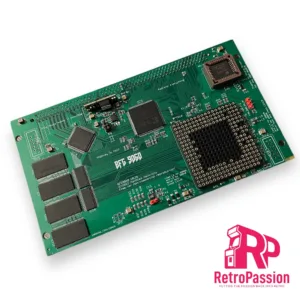
BFG9060 Amiga A4000/A3000 Accelerator (No CPU)
BFG9060 is a new accelerator for the Amiga A4000, A3000, A3000T* and A4000T developed by Matthias Heinrichs. The card slots into the existing CPU slot on the Amiga motherboard and provides a CPU socket that supports:
- 68040 running at 25Mhz (our cards are set up for 68060 CPUs ONLY)
- 68060 running at 50/75/100MHz (CPU heatsink and fan high recommended with a REV 6 CPU) LC/EC variants 50Mhz is suggested.
- 128 MB of DMA Fast RAM.
- Temperature and voltage monitoring via I²C.
- Overclocking capability up to 100 MHz with full 68060 Rev. 6 CPUs ONLY with heatsink and fan (we don’t offer support for overclocking or damage).
- Onboard 5V header to connect the optional CPU fan.
*A3000T is very picky and has not been tested, so if being used with an A3000T the card is sold as seen.
Installation guide here
For every BFG9060 sold we donate a percentage of the sale to Matthias Heinrichs to support further developments and we also support our builders.
*A3000T is very picky and has not been tested, so if being used with an A3000T the card is sold as seen.
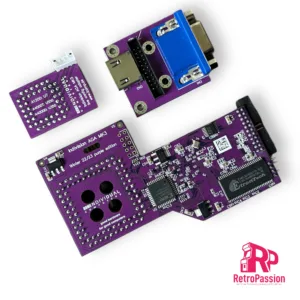
Indivision AGA MK3 Flickerfixer for Amiga CD32 and A4000D
Indivision AGA MK3 flickerfixer for Amiga CD32** and A4000D (also available for the Amiga A1200 and A4000T). For installation in an A4000D, a jumper needs to be bent aside (see further down). Sporting both a VGA and HDMI socket (not used at the same time) and a fully digital output which lets you connect to a modern TV or a DVI monitor. Finally, you can connect your favourite computer to a modern flat screen and use super-hires resolutions on your workbench in full colour!
Indivision AGA MK3 does everything that it’s predecessors did and much more! With the only exception of A2024 monitor modes, all Amiga screen modes are supported and can be sent to a digital or analogue monitor at almost any frame rate, either using standard VESA modes, or using custom output frequencies and size at the user’s choice. Even custom screen modes like HighGFX can be used: Workbench resolutions of 1280×1024 pixels are possible without buying a graphics card.
Further, Indivision AGA MK3 supports synchronisation of the output signal with the computer’s V-Sync signal, which was not possible with the predecessor models. This allows silky-smooth animations and perfect scrolling without tearing. These fully synchronised modes may not be compatible with all VGA- or DVI monitors (mainly because they are 50Hz for PAL machines), but 50Hz is standard for all TVs with high-definition digital input.
Indivision AGA Mk3 is plugged over the Lisa chip. For the first time, a second (optional!) connection is required to take advantage of all features of the product: An additional adapter is clipped on top of a CIA chip to route keyboard signals to the flicker fixer. This gives way for a huge practical improvement over previous versions of the flicker fixer: You can now make small adjustments to the output picture format, including positioning and resizing of the output picture without the need to load the configuration tool. You can now open a simple menu using a hot-key combination, make adjustments with the keyboard or mouse and then exit this live configuration menu – all this without leaving the game or demo that’s currently running.
Output screen modes can be saved “per input screen mode”, so you can adjust your favourite Workbench resolution perfectly, while not affecting the settings you’ve chosen for PAL and NTSC games. Settings are saved in the flash of the flicker fixer, so they survive a reboot and/or power-cycle of the computer. As opposed to Indivision AGA MK2, more than one output mode can be saved, and instead of making manual adjustments using the live configuration menu described before, you can just “zap” through pre-sets that are ideal for a specific game or demo. This allows you to see the difference of intensity settings for the built-in scanline effect, or you can compare the scaling capabilities of your monitor with the new built-in scaler of Indivision AGA MK3.
Another improvement over the predecessor is automatic monitor recognition: The configuration tool can detect what size of monitor is connected and make suggestions for ideal output frequencies that are within the specifications of the monitor. This reduces the “first setup” to a matter of minutes.
Whats included:
- Flickerfixer for A4000D(*)/CD32(**)
- Adapter board for high-definition digital and VGA output
- Adapter board for CIA chip
- Connection cables between all boards
- Stainless steel back plate for HDMI/VGA output
- Short instructions
- A transfer method for the configuration tool (free download from individual Computers wiki)
- (Optional) HighGFX software package from Aminet (free download for higher Workbench resolutions)
(*)This flickerfixer will only fit into an A4000D after jumper J214 has been bent aside. This jumper was meant for a future chipset that was never released.
(**)For installation in a CD32, live config is only available if three solder-connections have been made, as this model does not have CIA chips. For accurate audio filter reproduction on HDMI TVs, a fourth solder connection must be made. Further, it was reported that select main boards of the CD have the crystal oscillator very close to the Lisa chip, requiring the user to move the part to the side by a fraction of a millimeter. A soldering iron may be required to accomplish this.
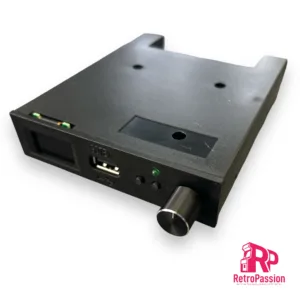
Gotek Drive Pre-Flashed with FlashFloppy, a 0.96″ Display and Rotary Knob (Generic)
Gotek Drive 0.96″ Display pre-flashed with FlashFloppy for and not limited to Acorn, Amstrad, Amiga, Apple, Atari, Spectrum, DOS / IBM XT PC, MSX.
This is the latest Gotek floppy emulator for retro computers with 3.5″ floppy disk drive bay, or for use externally or in a caddy. This will also work Amstrad / Spectrum or computers with 3″ disk drives or old PCs with 5.25″ drives and such. You will require the correct floppy IDE or Ribbon connection cables and 3D printed mount. Most computers can use the ones supplied within the machine and you can do a straight swap out for the existing old floppy drive (such as in DOS PCs and Amigas) but some machines may need extra leads/connectors (such as Spectrum +3).
Flashed with current latest FlashFloppy firmware and ready to use. Once installed, just insert a USB memory stick with your disk images/files on. Your computer will then boot from this floppy emulator or can also use it as a second drive.
Comes complete with Rotary select knob and large 0.96 OLED display screen
List of compatible devices:
Acorn Archimedes
Acorn BBC Micro
Amstrad CPC
Amstrad PCW
Amstrad PPC
Atari ST
Commodore Amiga
DEC
Dragon
IBM 3174
IBM PC
IBM PS/2
Kaypro
Memotech
MSX
NEC PC-98
Sharp
Sinclair QL
Spectrum
Tandy Color Computer
TI-99/4A
TSC Flex
UKNC, DVK
Akai
E-mu ESI-32
Ensoniq
General Music (GEM)
Korg
Kurzweil
Roland
Sequential Circuits Prophet 3000
Yamaha
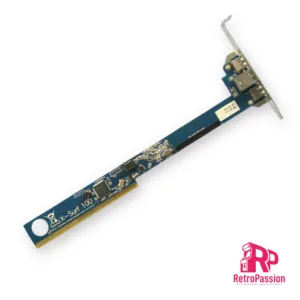
X-Surf 100 for all Commodore Amigas with Zorro Slots
X-Surf 100 is a networking card for all Amiga computers with Zorro slots. For the Amiga A2000 or Zorro-daughterboards for the A1200, it will run at Z2 speed. If installed in an Amiga A3000, A4000 or the respective tower versions, it will run at Z3 speeds, which is up to five times faster than Z2.
Key features:
- 100MBit physical link rate
- Sana-II device for use with OS2.0 up to OS3.9
- Officially supported in the Linux-m68k kernel
- Space- and power-saving design
- Gold plated Zorro contacts and stainless steel metal bracket
- Local expansion port for our high-speed USB module “RapidRoad”
Drivers can be downloaded from here.
Manual here
Wiki here
Requirements:
- TCP/IP stack such as Miami DX, AmiTCP, Genesis (included in OS3.9) or Roadshow
- Sufficient RAM and 68020 CPU or higher
- Kickstart/Workbench 2.0 or higher
- File transfer method for drivers to be transferred to the Amiga
Transfer rates of over 1600kBytes/s have been measured with the X-Surf-100. Please note that the classic Amiga architecture and the current TCP/IP stacks for the Amiga don’t allow saturating a 100MBit Ethernet link. Performance in your system may be slower due to CPU performance and programs running in multitasking.
Please note that we cannot guarantee the X-Surf-100 to work in third-party Zorro boards as used in tower conversions, such as boards made by Eagle, Mikronik, RBM or Elbox. The X-Surf-100 may or may not work in these boards. Although the bus interface is designed to tolerate many mistakes that the vendors of those third-party boards have made, we can only guarantee proper operation in original Commodore daughter boards. Should the card fail to work in such a third-party board, you may have to close the Z2 jumper and downgrade to Z2 speed. For operation in Z3 computers, the Buster-11 chip is recommended. If there is only one DMA master in the Z3 system, a Buster-9 may also be used.
Owners of the Merlin graphics card must have the latest hardware patches installed. Owners of the Mediator PCI/Zorro daughterboard must close the “swap” jumper.
The X-Surf-100 is officially supported in the Linux-m68k kernel.