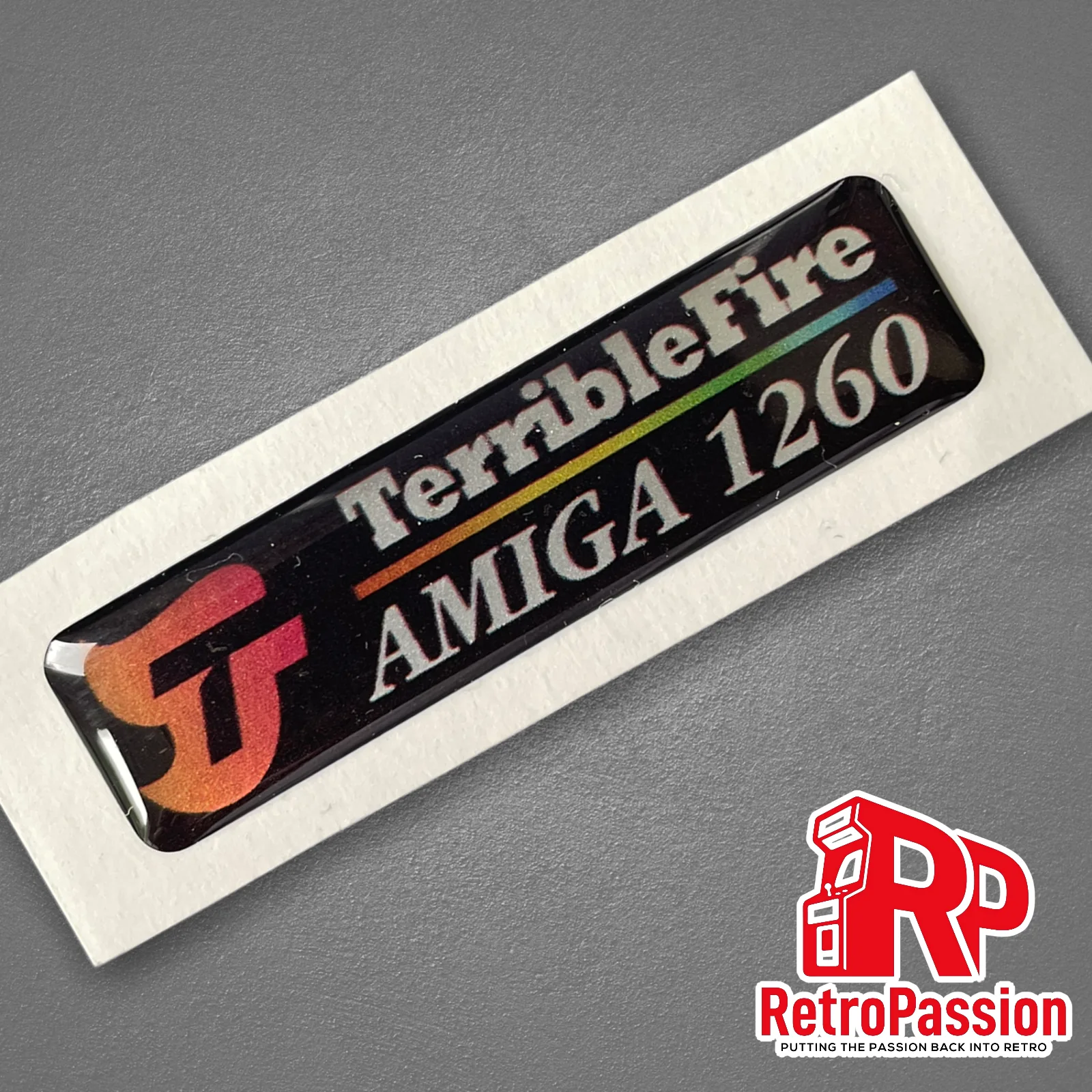
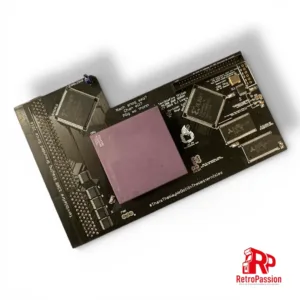
TF1260 case badge (Black) brand new, perfect replacement for any A1200 case or for the new A1200 cases. Show off you have the TF1260 accelerator in your A1200 These are high quality prints finished off in a 3D gel, long lasting and look very smart! Smarten up your Amiga 1200 case!
Additional information
Weight
0.100 kg
Dimensions
10 × 10 × 0.5 cm
Reviews
There are no reviews yet.
Only logged in customers who have purchased this product may leave a review.
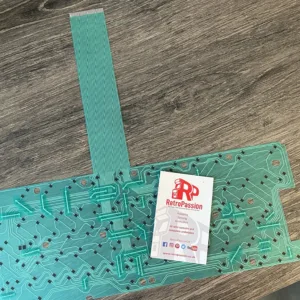
Amiga A600 Keyboard Membrane brand new BLUE. If you have issues with your Amiga A600 keyboard with missing keys or missing rows of keys the chances are the membrane needs replacing. There are 3 types of Mitsumi keyboard membrane for the Amiga A600:
This membrane is compatible ONLY with the BLUE A600 membranes, if your current A600 membrane is GREEN these are different and are available to purchase here
What if you have missing keys or rows of keys on the Keyboard? Try these possible fixes first:
Check the ribbon is inserted all the way in the connector on the Amiga A600 mainboard.
If it’s only 1 or two keys the plunger may need a clean, strip down the keyboard and clean the plunger with some IPA.
If it’s a whole row of keys missing its a very strong possibility that the membrane on your needs replacing.
The final step is to trim off 1mm of the connector (the ribbon end that plugs into the A600 mainboard).
Do let us know if any of the above fixes help you!
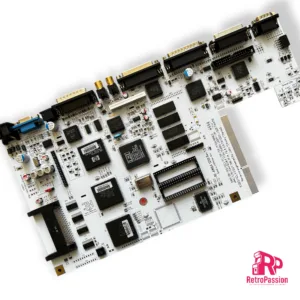
ReAmiga A1200 Rev 1.5 Refurbishment Service built using a A1200 board the customer supplies as a donor*. The Re-Amiga A1200 is a reverse engineered board by John “Chucky” Hertell. and is a full A1200 board with some extras added which include:
Composite Video area changed to a new decoder for improved quality.
VGA Connector added, VGA monitor needs to support 15Khz!
S-Video Connector for S-Video Out
Kickstart switch built in, if you are using 27C800 Eproms. you can program one bank with one
kickstart and the other bank with another.
PCMCIA Reset fix.
Optional IRQ7 Switch.
Native PAL or NTSC Option (below)
Added LED’s for _RST, _KB_RST, _ODD_CIA, _EVEN_CIA and _ROMEN also to Serial TXD and RXD (from the 5V level).
Added resistor to IDE Activity so now adapters that made IDE led always bright will be handled correctly.
Added pads close to floppy connector for a 0Ohm resistor if you want to do the Escom floppy patch instead of a wire.
9 Pin Mouse Port
Fits in your current metal shielding**
WHITE PCB ONLY
This is a build service using a donor board you provide or provide the needed parts to complete the build.
We are able to provide a donor board if required, ask for further details.
Once ordered we will request a 10% deposit to secure the service and send the you the address where to send you A1200 donor board.
* Custom chips will be tested before hand, any custom chips which are faulty we will contact you and send a quote for the any faulty chips or parts.
** ReAmiga board does not come with any metal shielding.
We reserve the right to cancel and refund any deposit made if we find an issues with securing any component or costs have increased to a level where building a unit becomes unavailable.
PiStorm32-Lite Rear Panel which provides easy access to the internal PiStorm32-Lite HDMI, USB and SD card slot, negates the need to open up the A1200 trapdoor and access the SD card when updates are released.
The panel is 3D printed and available in:
White
Black
Gray
When purchasing, leave a note of the colour required.
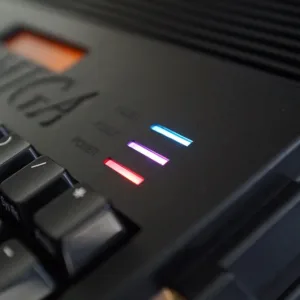
Amiga A1200 HDISK/FDISK LED adapter provides 2 separate inputs to show the activity of and not limited to, Icedrake V4, PiStorm32-Lite SD slot, hard drives or PCMCIA port using the original LED module on the Amiga 1200 LED panel.
Signals for the internal HDD and DISK are transmitted as is, also this module corrects the constant LED light that may occur with some SD or CompactFlash cards.
There are also LEDs on the module itself that show floppy and hard drive activity. This can be especially useful when the Amiga 1200 is operated without the original keyboard.
Configuration
There are a total of 2 pins available on J3 , which have the following characteristics.
A = HDD input – (output via HDISK LED)
B = FDD input – (output via FDISK LED)
So for example you want to show the PCMCIA activity, you would connect a wire to the FDD input and any PCMCIA activity will show via the FDISK LED.
NOTE:
Soldering skills will be required when connecting 3rd party activity signals to the Amiga A1200 HDISK/FDISK LED adapter, more details to follow.
Asahi Amiga A1200 Case Haruku Green manufactured by A1200.net
What’s included?
Top case including enhancements
Bottom case including enhancements
Enhanced bottom trapdoor with extra vents.
Enhanced rear trapdoor + extra plastic holder DVI / VGA shaped hole.
Rubber feet
Set of screws
How are these brand new?
In 2016 840 Amiga users made it possible in supporting a Kickstarter to reproduce the Amiga 1200 case, the new cases are made using Injection Molding manufacturing technique to produce top and bottom shells as well as trapdoors and parts. The process implies the use of 3 new moulds, the first one is for the top shell, second mould for the bottom shell and last one for trapdoors and parts, all produced using brand new moulds.
What is the Asahi Series of A1200 cases?
The Asahi series of A1200 cases are limited edition, once gone, they are gone. The word ‘Asahi’ is a Japanese word that means “morning” and “sunlight”. It is derived from the Japanese words asa meaning “morning” and hi meaning “sunlight”. The name symbolizes the start of a new day, and is associated with hope and new beginnings. The limited edition series are available in the following colours:
Akuma Red – The word ‘Akuma’ in Japanese means ‘Devil’. With Devil Red we reference the Red Demon. A historic figure and one of the four Guardians of the Tokugawa in Japanese history. This color Red is a very dark Wine Red but brightens up to a blood red when light emits through it.
Arashi Grey – The word ‘Arashi’ in Japanese means ‘Storm’. The case is a very dark grey, but when light emits through it turns into a brighter grey with clear blue accents.
Haruku Green – The word ‘Haruku’ is the Japanese word for ‘Hulk’. This is an ode to the big hulks of oaks you find in Japan. The case is a very dark green, but when light emits through it turns into a brighter richer green.
Shinkai Blue –The word ’Shinkai’ in Japanese means ‘Deep Sea/Ocean’ The case is a rich blue translucent which was close to the Commodore Blue but allow the right light and viewing angle to give it a dark purple hue. The blue brightens up when light emits through it.
Enhancements galore:
The Amiga community has never died and some have produced some great add-ons over the years to make sure the Amiga is still relevant and useful today as it was back in the 80’s/early 90s and these cases take full advantage of that weather that’s simply transferring your existing motherboard from your existing Amiga 1200 or have a luxury of installing a MiST FPGA Board. Below are few more enhancements:
External CF Adaptor
A CF slot can be opened up on the side of the A1200 case to allow easy access to what would be the CF card within the A1200 itself.
MiST FPGA Board
MiST is a FPGA based modern board that implements classic 16bit computers like the Commodore Amiga, Atari ST and 8bit systems like the Commodore 64, ZX-Spectrum, MSX, Atari XL/VCS, Apple II, Colecovision, Sega Master System, NES, SNES as well as Arcade machines. The primary difference between the MiST is that its NOT emulation.
The Amiga A1200 purple case has mounts to mount the MiST FPGA.
Raspberry PI
Yes you can mount a Raspberry PI 2/3 within the new A1200 case with the use of the mounts already part of the case for a nice clean solution.
Keyrah V3
Keyrah V3 for the Amiga 1200/600, C64, VIC 20 and C16Keyrah V3 is an IO adaptor that allows you to use the original keyboards of the Commodore Amiga 600 and 1200, Commodore 64, VIC-20 and C-16 within their respective cases. The purpose of this you can then install a Raspberry PI which uses the original keyboard of that computer and providing 2 x D9 ports. The new Amiga 1200 case has mounts are located at middle top of bottom shell. This location make the keyboard adapter available for Raspberry Pi or MiST board. Original Amiga 1200 keyboard ribbon will fit nicely just at the right place on the keyboard adapter board. I/O connectors are accessible through rear panel I/O slots.
So what are the differences with the original Commodore case?
All screws are secured with metal brass inserts. No more broken plastic clips.
The bottom trapdoor has extra vents for a better case air flow.
2 new rear trapdoors are available to accommodate VGA and DVI. The third one is a Plain door.
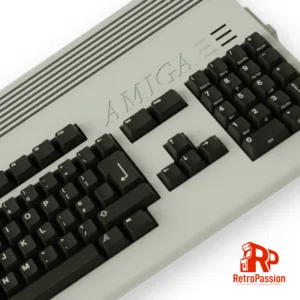
Amiga A1200 mechanical keyboard (also for Amiga A500) was developed by A1200.NET. The keyboard itself has been designed from the ground up and is fully compatible with the Amiga A1200, and Amiga A500 (with optional adaptor board) and is a direct plug-and-play replacement using the included ribbon cable for the A1200 and for Amiga 500 users the keyboard requires the optional Amiga 500 daughter-board, the controller mounts on the top right of the keyboard and connects via a custom U-shaped ribbon cable beneath the keyboard, then links to the A500 motherboard through a serial wire mirroring the original mounting location and ensuring perfect compatibility.
Designed into the new Amiga A1200 mechanical keyboard is a modular controller bay, different daughter boards can be added to adapt the same base keyboard to various Amiga models thus allowing DIY modules to be developed by individuals or hardware enthusiasts.
The keyboard is 100% compatible with the following:
Reviews
There are no reviews yet.