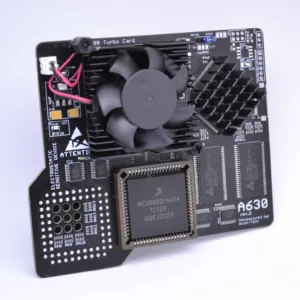
FURIA Amiga A600 accelerator (Passive Cooler)
£104.16 Ex. VAT
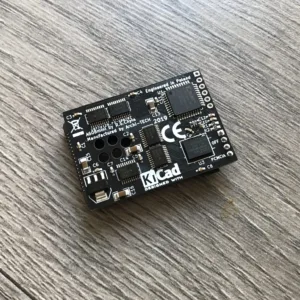
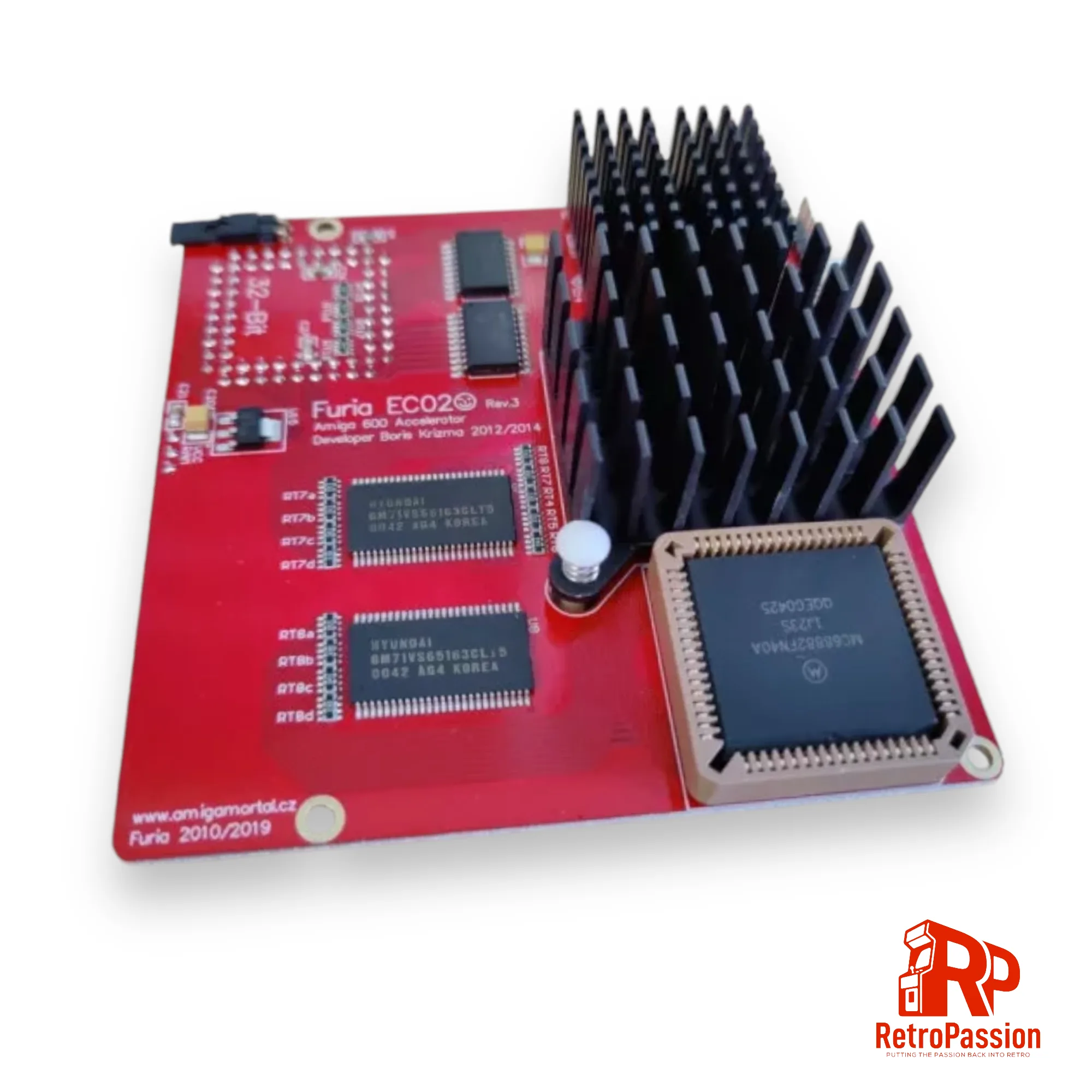
FuriaEC020 is an accelerator card for Amiga A600 computers designed by Boris Krizma (Slovak Amiga HW developer) It’s equipped with CPU Motorola MC68EC020/25 (OC33) MHz and FPU Motorola MC68882/40 MHz, and with onboard 9.5 megs of fast memory. The quick access to the memory makes this little card a real monster, as it makes the Amiga more than 10 times faster, than the original Amiga 600.
The card has also ability to map ROM into the Fast RAM, tested with 256 kB, 512 kB and also 1024 kB ROMs. The card also speeds up Amiga 600 IDE port. The device can be easily controlled by tool FuriaTune software written by Martin Kuchinka. To enable support for onboard PCMCIA port, you need to remove 4 megabytes of Fast RAM by pressing Control+Amiga+Amiga for 3 seconds.
Features:
- CPU 68EC020/25 MHz (OC33)
- FPU 68882
- 9.5MB Fast RAM
- Maprom function
- PCMCIA friendly
- Highest quality PLCC bottom socket – stable and solid FIT (AMPHENOL) – high temp resistant
- Firmware 14.1
- PCB colour may vary
Related products
Amiga A600 PiggyBackNot RGB2HDMI 1Mb Expansion
- 1MB additional CHIP RAM
- Implemented RGB2HDMI logics in small CPLD
- RPI Zero connector
- Integrated denise adapter on flex ffc cable.
- RTC Socket (Add a Real Time Clock Chip
- 3 x Clockports
- Flexible mHDMI to HDMI FFC cable included!
- Slim construction, No need to remove the trapdoor cover or replace with one that allows the expansion
- Module does not interfere with fast ram cards or accelerator cards.
- Raspberry Pi
- SD Card
- 3D Printed HDMI Mount
PiStorm600 Adaptor for Amiga A600
Key Features
- Emulate 68010,68020,68030,68040,68060 Processors with or without FPU
- 128Mb Fastram.
- File-based SCSI device.
- RTG graphics from the Pi itself.
Notes:
Powering the A600/PiStorm It is possible if you have a weak PSU or the Amiga 600 has not been recapped you may see instability issues as with any accelerator, you have a few options all of which are available below, If your using a Pi Zero2 then it is unlikely you will need to apply additional power. A Pi 3A+ can consume more power, but this is not often an issue until you start connecting USB devices, you have a few options below:- You can add extra power via a floppy power connector splitter (available below) which is a new cable which splits the floppy power to power both your internal floppy drive and the PiStorm via its built in Molex connector (DO NOT ADD POWER OTHER THAN FROM THE AMIGA ITSELF OR TRY AND USE IT TO POWER OTHER DEVICES).
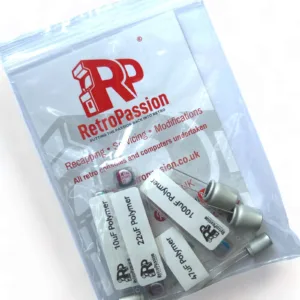
- Make sure your Amiga has been recapped, we offer 2 options Standard and Premium.
- Purchase a new Amiga PSU of which we also offer 2 versions, A600 Standard PSU or A600 Boost PSU which also as a 5VDC line adjustment to give a perfect 5 Volts to the Amiga 600.
*Using the Raspberry Pi Zero Model 2 is possible as mentioned but you do lose a little in performance.
[space_40]
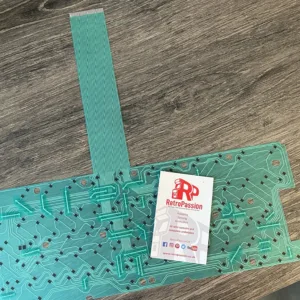
Amiga A600 Keyboard Membrane (New) BLUE
- The A600 Blue Keyboard Membrane - (this one)
- The A600 Green Keyboard Membrane (model number 56C47A or 56C471A - maybe stamped A300-A)
- The A600 Green Keyboard Membrane (model number 56C47B or 56C471B - maybe stamped A300-B)
- Check the ribbon is inserted all the way in the connector on the Amiga A600 mainboard.
- If it's only 1 or two keys the plunger may need a clean, strip down the keyboard and clean the plunger with some IPA.
- If it's a whole row of keys missing its a very strong possibility that the membrane on your needs replacing.
- The final step is to trim off 1mm of the connector (the ribbon end that plugs into the A600 mainboard).