
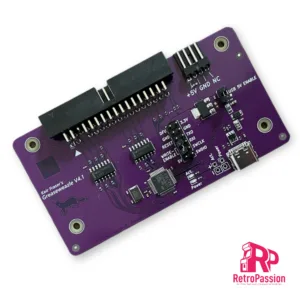
Greaseweazle V4.1 USB Floppy Adapter Flux Reader Writer
Greaseweazle v4.1 allows versatile floppy drive control over USB. By extracting the raw flux transitions from a drive, any disk format can be captured and analysed.
This includes, PC, Amiga, Amstrad, PDP-11, musical instruments, industrial equipment, and more. The Greaseweazle also supports writing to floppy disks, from a range of image file formats including those commonly used for online preservation (ADF, IPF, DSK, IMG, HFE).
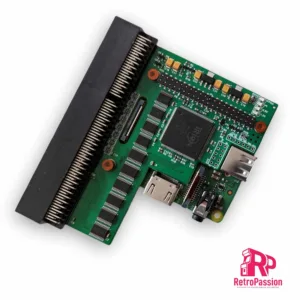
PiStorm32 Lite A1200 with RPi 3A+, 64Gb SD Card
PiStorm32-Lite A1200 accelerator using the Raspberry Pi 3A+ to provide a well rounded upgrade to any Amiga A1200.
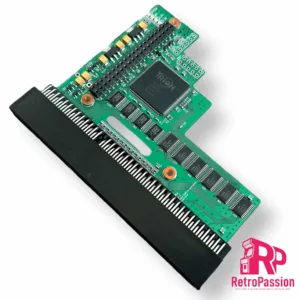
PiStorm32 Lite for Amiga A1200 Adaptor Only
PiStorm32 Lite Adaptor for the Amiga A1200 is designed to connect one of the Raspberry Pi’s listed below (not included)
NOTE: We do sell a plug and play package here which includes PiStorm32-Lite, Raspberry Pi 3A & SD Card.
Once you add your own Raspberry Pi, setup an SD card and plug it in the trapdoor of the A1200 like all A1200 accelerators (TF1230 or TF1260) you will have an accelerated Amiga 1200!
Compatible Rasperry Pi’s:
- Raspberry Pi 3A
- Raspbery Pi 3B
- Raspberry Pi 4B
Want to know more about the PiStorm check out the following link: https://github.com/PiStorm/pistorm32-lite-hardware
Compatible Rasperry Pi’s:
- Raspberry Pi 3A
- Raspbery Pi 3B
- Raspberry Pi 4B
With the Pistorm32-lite the A1200 can go up to a 68040 and using a Pi4 you could see 2000 Plus Mips!
Want to know more about the PiStorm check out the following link: https://github.com/PiStorm/pistorm32-lite-hardware
The PiStorm adaptors are professionally manufactured. and a contribution to the developer is made to support this project.
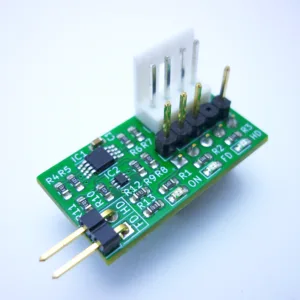
Amiga A1200 HDISK/FDISK LED Adapter
Amiga A1200 HDISK/FDISK LED adapter provides 2 separate inputs to show the activity of extra internal devices using the original LED module on the Amiga 1200 LED panel.
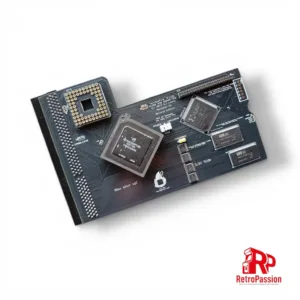
TF1232 Amiga A1200 Accelerator
TF1232 Amiga A1200 accelerator hosts a 68030 processor running at 50Mhz coupled with 128mb of fast ram.
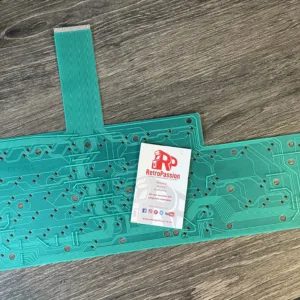
Amiga A1200 Keyboard Membrane (New)
Amiga A1200 keyboard membrane brand new. These are for all original A1200 keyboards.
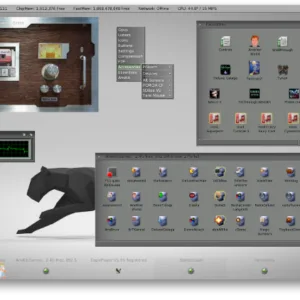
AmiKIT PiStorm and Pistorm32 (RPi 3A+, CM4 and RPi4 B)
AmiKit Pistorm and PiStorm32 is a pre-installed full workbench environment for the Commodore Amiga A500 A500 Plus, A600, A1200 and A2000 equipped with a Pistorm A500, Pistorm A600, PiStorm32-Lite or PiStorm32-Lite CM4.
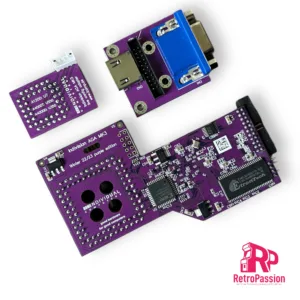
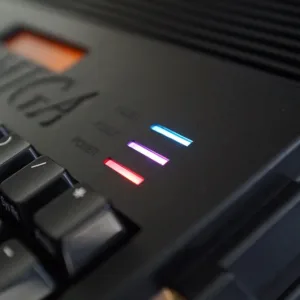
BIFROST A1200 Heimdall Edition LED Replacement
Bifrost A1200 Heimdall Edition board is a direct keyboard LED replacement board for your Amiga 1200 computer.
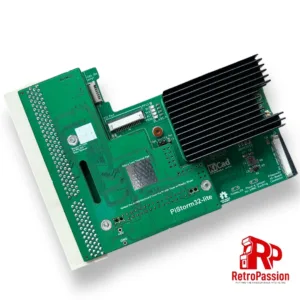
PiStorm32-Lite CM4, Expansion Breakout & 64Gb SD Card Bundle
PiStorm32-Lite CM4 bundle with Raspberry Pi CM4 module, expansion breakout with HDMI, Ethernet, USB and 64Gb SD Card. This is fully assembled, just installed Workbench.
What’s included:
- Pistorm32-Lite adapter
- CM4 Adapter (Allows connection of Expansion Breakout and Compute Module 4)
- Raspberry Pi CM4 module with Wifi (Supports AmiKit also)
- Passive Cooler
- Expansion Breakout that provides HDMI, USB and Ethernet Ports
- SD Card 64GB Sandisk Ultra (pre installed EMU68 on 200MB partition) Optional upgrade to AmiKit Pistorm edition*
- Flex wire 40 Pin 20cm
- Printed IO cover (3D printed)
Now with an added option of AmiKit and AmigaOS 3.2.2 plug and play options*. Now with WiFI**!
NOTE: The PiStorm32-Lite CM4 product is a open source project and will require some knowledge of the Amiga.
*AmiKit Pistorm Edition requires AmigaOS 3.2 installation disks (ADF) and an internet connection, full details here.
** Wifi (wifipi.device) is still in alpha, which means that it can (and will) contain bugs. For this version you need to set up an unencrypted 2.4GHz wireless network (without a password). However, you can hide it in your router settings so that no one else can see it and connect to it. Future versions will bring WPA/WPA2 encryption.
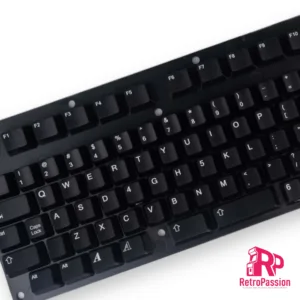
Amiga Black Keycaps A1200 A500 A600 Multiple Layouts
Amiga Black Keycaps A1200 A500 A600 & CDTV Black Keycaps
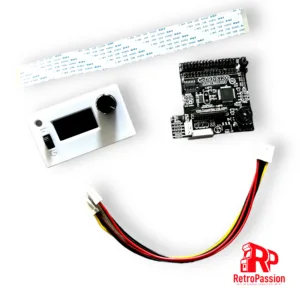
GoDrive1200 Gotek for Amiga A1200 and A500
GoDrive1200 Gotek for Amiga A1200 and A500 is an upgrade that provides you both the use of your current internal floppy drive in the A1200 and A500 and also have access to a Gotek drive, so have the best of both worlds floppy drive and Gotek drive.
Features:
- Large 1.3” OLED screen
- Rotary encoder with switch
- Activity LED light
- Drive selector
- USB socket
- FlashFloppy Firmware
The unit requires no cutting of the case!!
Notes:
Compatible with all Amiga 1200 units however there are exceptions as the A1200 came with different makes of floppy drive so if you have:
- Mitsumi D357T2,
- TEAC FD-235HF,
- Panasonic JU-253-043P
Please ask for a SLIM version, as these drives are too long to fit standard GoDRIvE1200 model.
Escom Amiga 1200
If you are owner of ESCOM A1200, GoDRIvE1200 will not work without modifying mainboard and replacing PC-compatible FDD fitted, for Amiga compatible one. There is a wire underneath the floppy connector that is bridging Pin 2 and Pin 34, this simply needs cutting out or de soldered.