
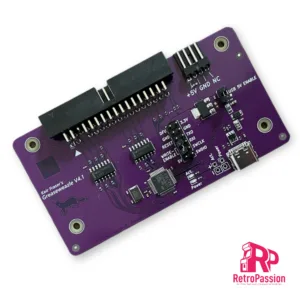
Greaseweazle V4.1 USB Floppy Adapter Flux Reader Writer
Greaseweazle v4.1 allows versatile floppy drive control over USB.
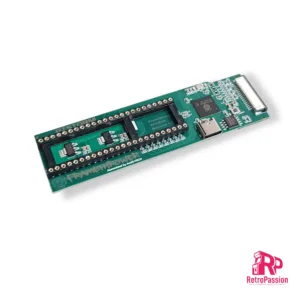
FrameThrower PiStorm for Amiga A500
FrameThrower PiStorm for the Amiga A500 is an adapter that allows the Amiga 500 to output Retargetable Graphics (RTG) desktop like displayed from AmiKit and native Amiga screen modes (essential for playing classic games from floppy disk or WHDLoad) to a single modern HDMI output.
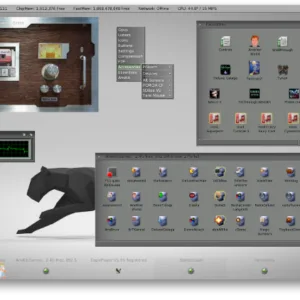
AmiKIT PiStorm and Pistorm32 (RPi 3A+, CM4 and RPi4 B)
AmiKit Pistorm and PiStorm32 is a pre-installed full workbench environment for the Commodore Amiga A500 A500 Plus, A600, A1200 and A2000 equipped with a Pistorm A500, Pistorm A600, PiStorm32-Lite or PiStorm32-Lite CM4.
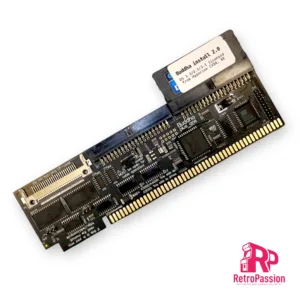
Buddha Plus One IDE Controller Commodore Amiga
Buddha Plus One IDE Controller for Commodore Amiga with zorro slots (2023 version) is a IDE controller for Amiga computers with Zorro slots (Amiga A2000, A3000, A4000 CheckMate 1500 Plus with Zorro interface) and provides you connectivity for hard drives,CD-Rom Drives, DVD Drives (both readers and writers), and of course CF cards and SSD with PATA interfaces..
Buddha Plus One features:
- Two IDE ports
- One CF card slot
- 1Mb of Fast Ram
- GUI-based settings tool
- Elaborate LED concept
- High Speed
- Multiple measures to prevent wrong installations
The two IDE ports and the CF card slot are non-conflicting. This means that you can use up to five mass-storage devices at the same time, and if that’s not enough, you can add more Buddha controllers to the same computer!
Added memory
While the combination of a mass-storage controller and memory on the same card is not a new invention, the 1MByte of true 0-wait state fast memory of the Buddha Plus One controller does not conflict with existing memory cards. If you are expanding a system that has already maxed out it’s 8MByte of Z2 space (no matter if it’s fastmem, a PC bridge card or RTG graphics), Buddha Plus One will still add 1MByte of memory, without using any of the precious Z2 expansion space. A2000 users can choose to map the memory to one out of two addresses: The legacy “trapdoor memory” address $c0.0000, where it adds compatibility with old software titles (especially for machines that have been expanded to 1MByte or 2MBytes of chip ram), or to the normally-unused address space at $a0.0000. A3000 and A4000 users can only use address $a0.0000. Memory is not available if installed in a Zorro expansion of an A1200.
Robust against installation errors
Buddha Plus One has a long heritage and we’ve learned from numerous support cases of the past decades that in the heat of the moment, you may accidentally plug in the card the wrong way round. For the first time in Amiga history, we’re presenting mechanical and electrical measures to either prevent wrong installation, or to keep the controller safe from harm if you manage to plug in the card the wrong way round. Just flip the card around and it’ll work as if nothing bad ever happened.
Easy configuration
While previous versions of the Buddha controller could only be controlled with command line tools, Buddha Plus One introduces a GUI that is provided in the ROM of the controller, so no software installation and/or download is required. This GUI will even work with Kickstart V1.3!
Elaborate LED concept
The original Amiga computers only have a single HD LED. Buddha Plus One will unite all access-LEDs (including onboard IDE/SCSI accesses) into a single one without soldering or complicated configuration steps. Two LED cables are included with Buddha Plus One, making LED wiring easy without soldering, and without the need to drill holes for additional LEDs into precious original cases. The LED output will automatically sense how many LEDs there are in a row (one in case of A2000/A4000 or two in case of the A3000), and the LED input of Buddha Plus One will accept any polarity.
Quick boot support
The Amiga can start blazingly fast. Amiga users are so used to having a usable desktop within seconds after switching on that every single additional second is already a reason to be worried. Buddha Plus One gives the user various options to skip unnecessary wait times: The maximum time that Buddha will wait for a drive to spin up can be set in the graphical startup menu. Unused ports can be switched off, and if you have an onboard IDE/SCSI controller that you’re not using any more, it can also be switched off in the Buddha Plus One configuration, saving several ten seconds of boot time.
Improved speed
Let’s face it: Buddha has never been a speed demon. The Z2 bus with it’s 7MHz and 16 bits has it’s limits, and that’s in the neighbourhood of 2.3MBytes/second, measured with a medium-speed 68020 or 68030 CPU. However, there’s two special cases where Buddha Plus One adds significant transfer speed: First, an un-accelerated A2000 would struggle to reach 800KBytes/s with a 7MHz 68000 CPU on previous versions of the Buddha controller. Buddha Plus One now adds hardware acceleration that improves transfer rates with 68000 CPUs by about 35%. Buddha Plus One with a 7MHz CPU beats the “magical” 1MByte/second barrier by a large margin. The second special configuration where Buddha Plus One can add speed is in the Z4 board for an A1200 computer. Z4 boards are also known as “Elbox Z4” or “Winner Z4” Boards, and they sport a “Fast-Z2” mode that can add up to 50% to measurable transfer speed. We recommend to only activate this mode if only CF cards or DOMs are used. Stability with long IDE cables may not be given.
Extended software installation
Buddha Plus One comes with a DOM (disk-on-module) pre-installed. This DOM contains our automatic partition/install tool and licensed copies of Amiga OS 1.3, 2.1 and 3.1. Partitioning and installing a CF card or hard drive has never been easier! Even if you have lost your OS installation floppies or your floppy drive is defective, you can bring your Amiga to life within minutes. If a CD ROM drive is found, drivers and file system are also automatically installed, letting you install more software or Amiga OS V3.2 from CD (Amiga OS3.2 is available separately in this shop). If there is any version of the X-Surf networking card in your computer, you can continue to install a TCP/IP stack and network GUI. This will break the vicious circle of having to transfer software to the Amiga in order to install a transfer method for software.
What’s included:
- Buddha Plus One
- LED extension 24cm
- LED connection cable 24cm
- Instruction manual (English/German)
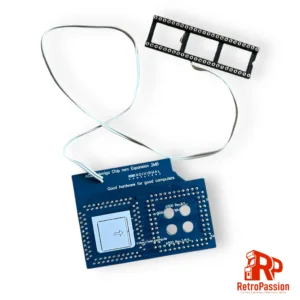
ACE2b Amiga A500 A2000 2Mb Chipram Upgrade
ACE2b Amiga Chipram Extender 2MBytes. It is installed in the socket of the Fat Agnus chip of your OCS/ECS Amiga.
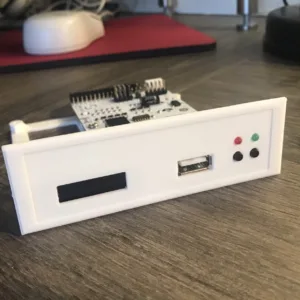
Amiga 2000 Gotek Drive, Printed Mount, OLED Display and FlashFloppy
Amiga 2000 Gotek drive is a great replacement for your failing Amiga 2000 floppy drive or you wish to simply replace it with a Gotek drive. These are plug and play and come pre flashed with FlashFloppy in that you simply remove your existing floppy drive and replace it with this unit (you use your existing bracket). 3 new screws will also be supplied to secure the Gotek drive to your Amiga.
You will need a USB memory stick (NOT included) with your loaded ADF files but we offer an option for a pre-configured USB stick below.
What are ADF files?
ADF files is the standard Amiga Disk Format for floppy disk images. no different to Sega or Nintendo roms, ADF’s are images of Amiga floppy disk games. Not only could you have access to a huge back catalogue of retro Amiga games, but there are still brand new games being released today, for example: Raid over Moscow or Bridge Strike these are all available as ADF files. But you not limited to games or programs, but you have access to tons of Amiga demos (if your into that scene).
What are gotek drives in detail? Read here
What is FlashFloppy check out this link
Want to know even more about them, checkout retro32.com’s review of them here
Also checkout one of our favorite youtube streamers TheGebs24 and her views on the Gotek drive!

FrameThrower 600 for Amiga A600 PiStorm600
FrameThrower 600 Amiga A600 adapter, this enables an output RTG desktop and native Amiga 15khz screen modes using single PiStorm accelerator HDMI output.
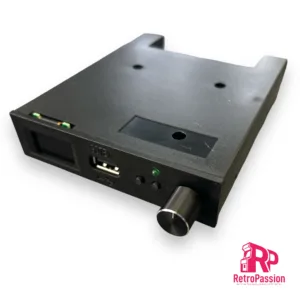
Gotek Drive FlashFloppy – 0.96″ Display and Rotary Knob (Generic)
Gotek Drive FlashFloppy for and not limited to Acorn, Amstrad, Amiga, Apple, Atari, Spectrum, DOS / IBM XT PC, MSX.
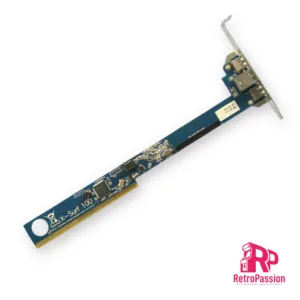
X-Surf 100 for all Commodore Amigas with Zorro Slots
X-Surf 100 for the Amiga A2000, Zorro-daughterboards for the A1200 (Z2 speed), Amiga A3000, A4000 or the respective tower versions, (Z3 speeds).
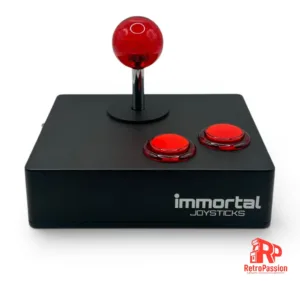
Immortal Joystick – Full Metal Enclosure Joystick
Immortal Joystick, a high-end joystick for the serious gamer. These are not manufactured but are built using high end parts encased in a full metal enclosure, designed and manufactured by Immortal Joysticks.