*This unit is if you already have a FlashFloppy Gotek drive.
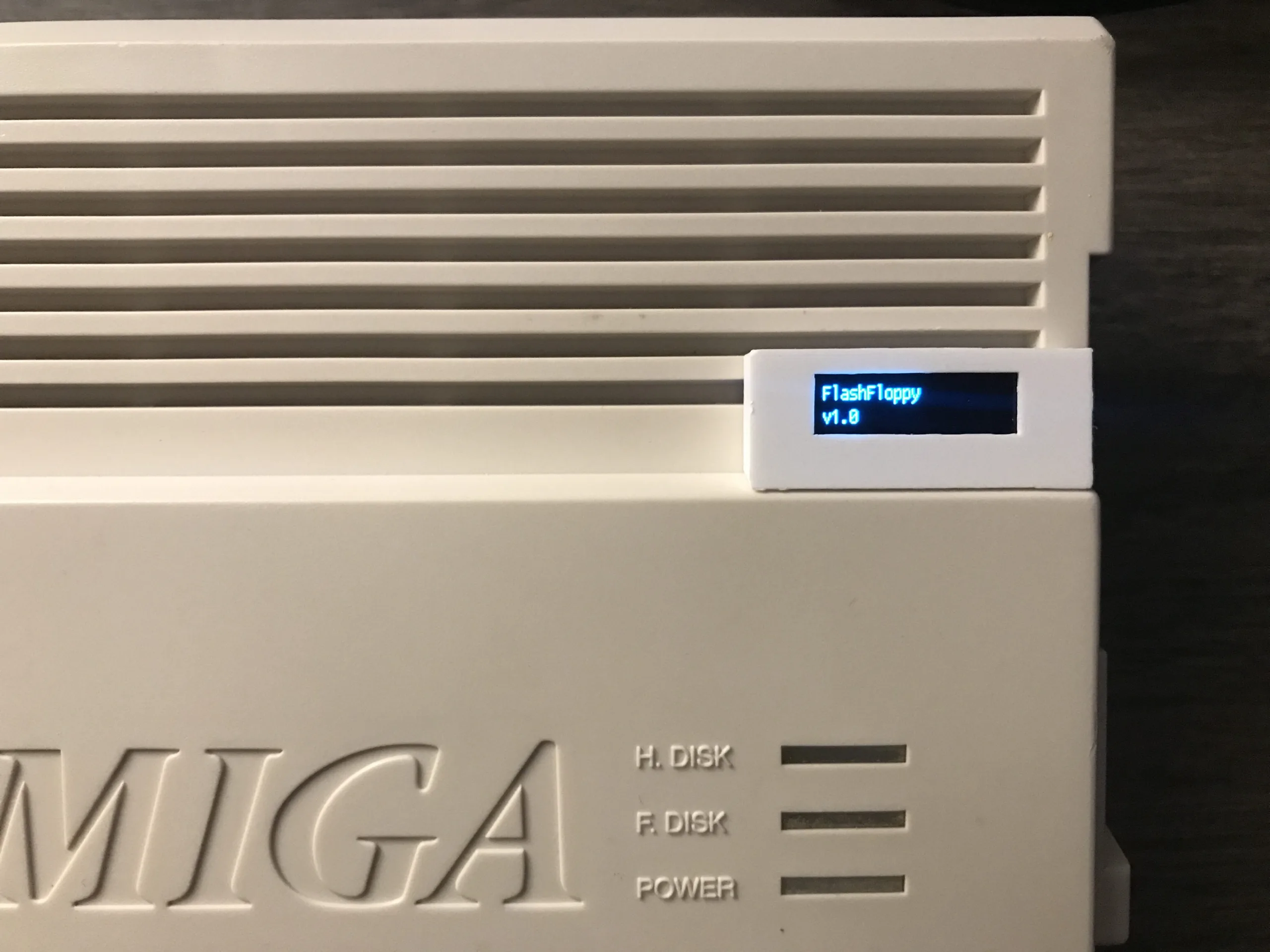
The Amiga 600/1200 FlashFloppy OLED header unit is the perfect companion for the Amiga 600/1200 Gotek FlashFloppy. It allows easy viewing the current ADF file loaded on the Gotek. This requires zero hacking of your Amiga case. These units are ready built and are very easy to install.
*This unit is if you already have a FlashFloppy Gotek drive.
The Amiga 600/1200 FlashFloppy OLED header unit is the perfect companion for the Amiga 600/1200 Gotek FlashFloppy. It allows easy viewing the current ADF file loaded on the Gotek. This requires zero hacking of your Amiga case. These units are ready built and are very easy to install.
What you will receive:
3D Printed Header
OLED Display
30cm of cable from the header to the Gotek drive.
Additional information
Weight
0.100 kg
Dimensions
18 × 11 × 2.5 cm
Reviews
There are no reviews yet.
Only logged in customers who have purchased this product may leave a review.
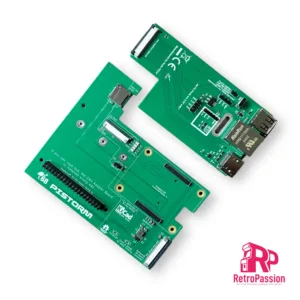
PiStorm32-Lite CM4 bundle with Raspberry Pi CM4 module, expansion breakout with HDMI, Ethernet, USB and 64Gb SD Card. This is fully assembled, just installed Workbench.
Expansion Breakout that provides HDMI, USB and Ethernet Ports
SD Card 64GB Sandisk Ultra (pre installed EMU68 on 200MB partition) Optional upgrade to AmiKit Pistorm edition*
Flex wire 40 Pin 20cm
Printed IO cover (3D printed)
Now with an added option of AmiKit and AmigaOS 3.2.2 plug and play options*. Now with WiFI**!
NOTE: The PiStorm32-Lite CM4 product is a open source project and will require some knowledge of the Amiga.
*AmiKit Pistorm Edition requires AmigaOS 3.2 installation disks (ADF) and an internet connection, full details here.
** Wifi (wifipi.device) is still in alpha, which means that it can (and will) contain bugs. For this version you need to set up an unencrypted 2.4GHz wireless network (without a password). However, you can hide it in your router settings so that no one else can see it and connect to it. Future versions will bring WPA/WPA2 encryption.
Amiga A600 8Mb Fast Ram Card is PCMCIA switchable using a physical jumper to switch from 8Mb to 4Mb Perfect for WHDLoad, Its tiny size makes it the smallest 8Mb fast ram card for the Amiga 600.
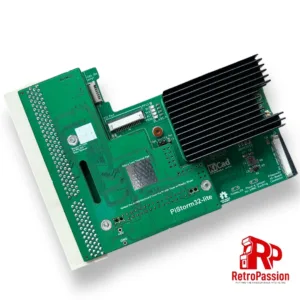
PiStorm32-Lite CM4 adaptor with expansion breakout with HDMI, Ethernet, USB. This is designed to be attached to the PiStorm32-lite adaptor to allow you add an Raspberry PI CM4 module.
What’s included:
CM4 Adapter (Allows connection of Expansion Breakout and Compute Module 4)
Passive Cooler
Expansion Breakout that provides HDMI, USB and Ethernet Ports
Flex wire 40Pin 20cm
Printed IO cover (3D printed)
We also just sell the Pistorm32-Lite kits with Raspberry Pi 3A+ here
NOTE: The PiStorm32-Lite CM4 product is an open source project and will require some knowledge of the Amiga
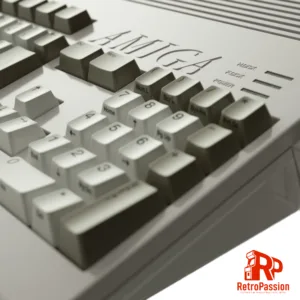
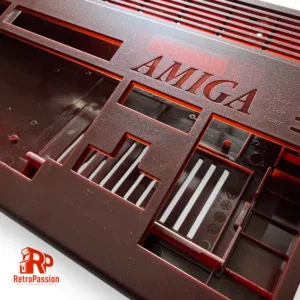
Asahi Amiga A1200 Case Akuma Red manufactured by A1200.net
What’s included?
Top case including enhancements
Bottom case including enhancements
Enhanced bottom trapdoor with extra vents.
Enhanced rear trapdoor + extra plastic holder DVI / VGA shaped hole.
Rubber feet
Set of screws
How are these brand new?
In 2016 840 Amiga users made it possible in supporting a Kickstarter to reproduce the Amiga 1200 case, the new cases are made using Injection Molding manufacturing technique to produce top and bottom shells as well as trapdoors and parts. The process implies the use of 3 new moulds, the first one is for the top shell, second mould for the bottom shell and last one for trapdoors and parts, all produced using brand new moulds.
What is the Asahi Series of A1200 cases?
The Asahi series of A1200 cases are limited edition, once gone, they are gone. The word ‘Asahi’ is a Japanese word that means “morning” and “sunlight”. It is derived from the Japanese words asa meaning “morning” and hi meaning “sunlight”. The name symbolizes the start of a new day, and is associated with hope and new beginnings. The limited edition series are available in the following colours:
Akuma Red – The word ‘Akuma’ in Japanese means ‘Devil’. With Devil Red we reference the Red Demon. A historic figure and one of the four Guardians of the Tokugawa in Japanese history. This color Red is a very dark Wine Red but brightens up to a blood red when light emits through it.
Arashi Grey – The word ‘Arashi’ in Japanese means ‘Storm’. The case is a very dark grey, but when light emits through it turns into a brighter grey with clear blue accents.
Haruku Green – The word ‘Haruku’ is the Japanese word for ‘Hulk’. This is an ode to the big hulks of oaks you find in Japan. The case is a very dark green, but when light emits through it turns into a brighter richer green.
Shinkai Blue –The word ’Shinkai’ in Japanese means ‘Deep Sea/Ocean’ The case is a rich blue translucent which was close to the Commodore Blue but allow the right light and viewing angle to give it a dark purple hue. The blue brightens up when light emits through it.
Enhancements galore:
The Amiga community has never died and some have produced some great add-ons over the years to make sure the Amiga is still relevant and useful today as it was back in the 80’s/early 90s and these cases take full advantage of that weather that’s simply transferring your existing motherboard from your existing Amiga 1200 or have a luxury of installing a MiST FPGA Board. Below are few more enhancements:
MiST is a FPGA based modern board that implements classic 16bit computers like the Commodore Amiga, Atari ST and 8bit systems like the Commodore 64, ZX-Spectrum, MSX, Atari XL/VCS, Apple II, Colecovision, Sega Master System, NES, SNES as well as Arcade machines. The primary difference between the MiST is that its NOT emulation.
The Amiga A1200 purple case has mounts to mount the MiST FPGA.
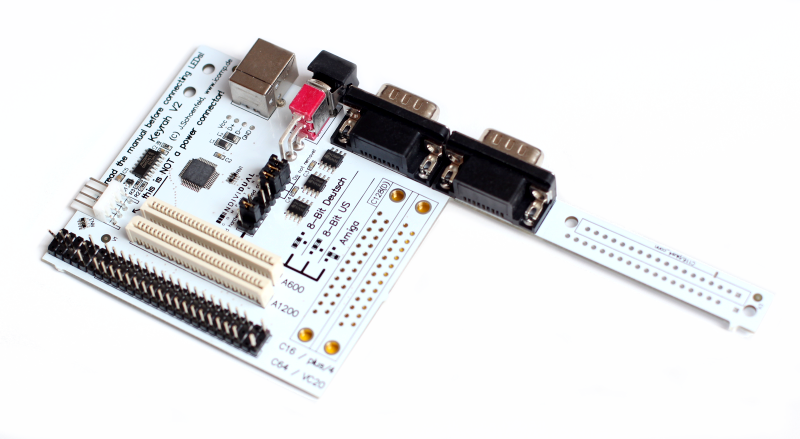
Keyrah V3 for the Amiga 1200/600, C64, VIC 20 and C16
Keyrah V3 is an IO adaptor that allows you to use the original keyboards of the Commodore Amiga 600 and 1200, Commodore 64, VIC-20 and C-16 within their respective cases. The purpose of this you can then install a Raspberry PI which uses the original keyboard of that computer and providing 2 x D9 ports. The new Amiga 1200 case has mounts are located at middle top of bottom shell. This location make the keyboard adapter available for Raspberry Pi or MiST board. Original Amiga 1200 keyboard ribbon will fit nicely just at the right place on the keyboard adapter board. I/O connectors are accessible through rear panel I/O slots.
So what are the differences with the original Commodore case?
All screws are secured with metal brass inserts. No more broken plastic clips.
The bottom trapdoor has extra vents for a better case air flow.
2 new rear trapdoors are available to accommodate VGA and DVI. The third one is a Plain door.
A1200 FPU upgrade (onboard) which includes socket, FPU and installation.
What does the modification do?
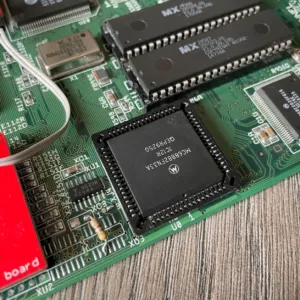
This FPU modification adds a real FPU to the A1200 motherboard, there has always been a place (U0) for an onboard FPU but it was never added. This is a perfect compliment for a stock A1200 or one with an accelerator without an FPU option, for example The TF1230 or any standard ram upgrade like the 11Mb Fast Ram upgrade. However there are a couple of limitations of adding an onboard FPU.
The FPU will be using the CPU clock which is at 14Mhz, which means the FPU will be running at 14Mhz
The FPU will be disabled if you use a 040 or 060 accelerator, for example TF1260. This is because both the 040 and 060 processors do not acknowledge external FPUs as you can get those processors with built in FPUs.
This modification is available as an option on our A1200 recapping service, ReAmiga 1200 and Refurbished units.
Like our recapping service, you would need to send us your A1200 motherboard only. Once you have ordered you will receive an automated email with where to send the board and how to pack it.

Reviews
There are no reviews yet.