
Commodore Amiga
Showing 13–24 of 109 resultsSorted by popularity
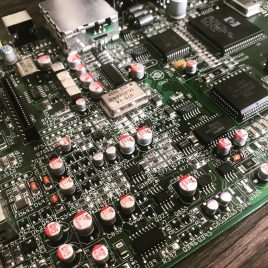
Amiga CD32 Recapping Service (PREMIUM)
- Check of the board before recapping is begun.
- Removal of existing capacitors (both SMD and radial capacitors).
- Clean-up and preparation of area.
- Replace using Panasonic/Wurth/KEMET capacitors. NOTE: Rev 3 board capacitors C408 and C411 installed correctly.
- Retest (Video, Audio).
Overseas recapping orders
Overseas orders are very welcome and we are able to provide you return shipping costs at the checkout. To do this add any of our recapping services to your shopping basket and then at the checkout simply fill in the billing and shipping form including your telephone and email address (important) and click the 'Request a quote' link. You will receive an email within 24hrs with the shipping cost and you can then proceed with the order by clicking on the 'Complete your order' within the email. There is no need to leave the checkout page open your web browser.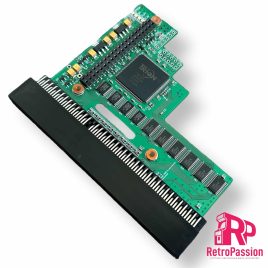
PiStorm32 Lite for Amiga A1200 Adaptor Only
- Raspberry Pi 3A
- Raspbery Pi 3B
- Raspberry Pi 4B
- Raspberry Pi 3A
- Raspbery Pi 3B
- Raspberry Pi 4B
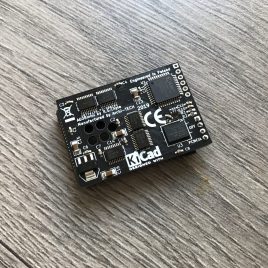
Amiga A600 8Mb Fast Ram PCMCIA switchable
- ON/OFF - You can enable or disable the card.
- 4Mb/8Mb jumper
- Transferring files from your PC/MAC using the a PCMCIA CF card adaptor
- Plug in a Ethernet card to transfer files from a PC/MAC via FTP
- Adding a CD Drive that has a PCMCIA interface
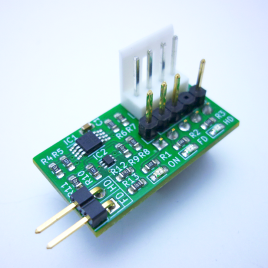
Amiga A1200 HDISK/FDISK LED Adapter
- A = HDD input - (output via HDISK LED)
- B = FDD input - (output via FDISK LED)
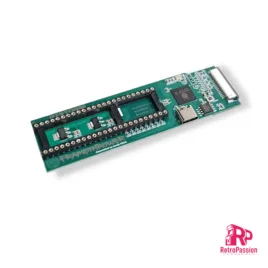
FrameThrower PiStorm for Amiga A500 A2000
FrameThrower PiStorm for the Amiga A500 A2000 adapter allows the Amiga 500 and 2000 to output Retargetable Graphics (RTG) desktop like displayed from AmiKit and native Amiga screen modes (essential for playing classic games from floppy disk or WHDLoad) to a single modern HDMI output.
The adaptor fits into the Denise socket of the Amiga 500/2000 and the Denise chip is plugged into the adapter, this is then connected to the PiStorm using an FPC cable (included for A500). This enables RGB output directly from the Denise chip through HDMI, eliminating the need for a second monitor connection via RGB or a separate HDMI adapter, so no need to switch outputs when using high resolution RTG workbench and whdload games for example.
NOTE: Sound output isn't available yet, but it's expected to be added in a future software update and Amiga A500 A2000 Pistorm is required
[space_40]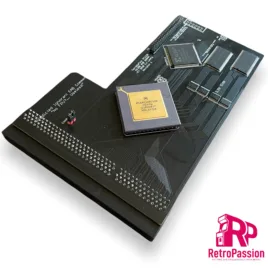
TF1232 Amiga Accelerator 128Mb
- 68030 'Gold' CPU running at 50MHZ (NOT OVERCLOCKED) with MMU
- 64Mb Fast Ram
- IDE Interface - Driver required - ehide.device or purchase our AmigaOS 3.2 Rom with ehide.device built in (uploading of AmigaOS purchase evidence required)
- Fits in your old/new stock A1200 case!!!
Prerequisites
- Timing fix is strongly recommended on your A1200 motherboard. We can do this free of charge if you send your board to us (return shipping does need to be covered).
- Kickstart ROM 3.1, 3.1.4, 3.2, 3.x or 3.9 (not compatible with 3.0).
- Some boards do not have a chamfered edge on the connector (1A and 1B boards) which may bend the connector pins, if your unsure please ask.
What is TerribleFire?
Well it's not what it's who, and that person is Stephen Leary who has designed a whole host of accelerators and ram cards for the Amiga A500, A1200 and Amiga CD32. These include many but the most common ones are:- TF328 - 8Mb Fast Ram board and IDE socket for the Amiga CD32
- TF330 - 68030 Processor, 64Mb Fast Ram and IDE socket for the Amiga CD32
- TF534 - 68030 Processor, 4Mb Ram, IDE Interface and FPU Socket for A500/A500 Plus and A2000
- TF536 - 68030 Processor, 64Mb Ram and IDE interface for the Amiga A500 and A500 Plus
- TF360 - 68060 Processor other specs TBC for the Amiga CD32
- TF1260 - 68060 Processor, 128Mb Ram and IDE Interface for the Amiga 1200
- TF1230 - 68030 Processor 64Mb Ram amd IDE interface for the Amiga 1200
- TF4060 - 68060 Processot 128Mb Ram for the Amiga 4000
- TF1200 - Buffee Adaptor + 5.5Mb/8Mb (you will need the new Buffee Processor
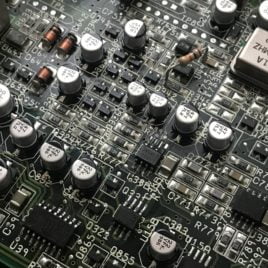
Amiga CD32 Recapping Service (Standard)
- Check of the board before recapping is begun.
- Removal of existing capacitors (both SMD and radial capacitors).
- Clean-up and preparation of area.
- Replace using Panasonic/Wurth/KEMET capacitors. NOTE: Rev 3 board capacitors C408 and C411 installed correctly.
- Retest (Video, Audio).
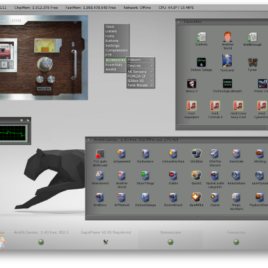
AmiKIT for PiStorm and Pistorm32 (RPi 3A+, CM4 & RPi4 B)
- AmigaOS 3.2 ADF Files (Licenced AmigaOS 3.2 is available here)
- AmigaOS 3.2.2 update (available free from Hyperion's website once you register AmigaOS 3.2)
- AmigaOS 3.2.2.1 hotfix (again available free from Hyperon)
- Picasso96 drivers from Aminet
- Internet connection from your Amiga (to register AmiKit on AmiKit Servers) using a PCMCIA WiFi or LAN card, Plipbox etc. There is a 15min demo of Roadshow TCP/IP stack included.
-
Full HD 1920x1080 monitor (or at least HD 1360x768) for RTG desktop plus a second Amiga monitor for 15kHz native modes like PAL/NTSC (or just one monitor with multiple inputs or a suitable video upscaler like the Indivision AGA MK3 for the A1200 allowing 15kHz modes on modern monitors)
- 32GB MicroSD Card preloaded with AmiKit for PiStorm.
- Metal case for for 2 SD and 4 microSD cards.
- MicroSD to SD card adapter.
- Licence key to register with AmiKit
Recommended Specs:
Amiga 1200 with PiStorm32-lite & Raspberry Pi 4B (1GB+ RAM) or CM4 or at least RPi3; with heatsinks + ideally a cooling fan
Minimum Specs:
Amiga 500/600/2000 with PiStorm & Raspberry Pi 3A+ or 3B+ or Zero2W; with heatsinks + ideally a cooling fan
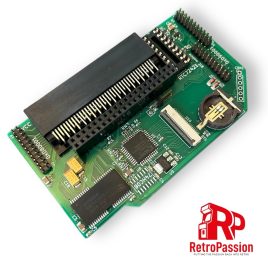
Amiga A600 PiggyBackNot RGB2HDMI 1Mb Expansion
- 1MB additional CHIP RAM
- Implemented RGB2HDMI logics in small CPLD
- RPI Zero connector
- Integrated denise adapter on flex ffc cable.
- RTC Socket (Add a Real Time Clock Chip
- 3 x Clockports
- Flexible mHDMI to HDMI FFC cable included!
- Slim construction, No need to remove the trapdoor cover or replace with one that allows the expansion
- Module does not interfere with fast ram cards or accelerator cards.
- Raspberry Pi
- SD Card
- 3D Printed HDMI Mount
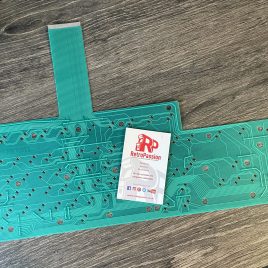
Amiga A1200 Keyboard Membrane (New)
- Check the ribbon is inserted all the way in the connector on the Amiga A1200 mainboard.
- If it's only 1 or two keys the plunger may need a clean, strip down the keyboard and clean the plunger with some IPA.
- If it's a whole row of keys missing its a very strong possibility that the membrane on your needs replacing.
- The final step is to trim off 1mm of the connector (the ribbon end that plugs into the A1200 mainboard).
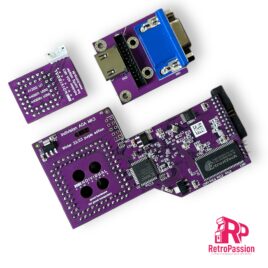
Indivision AGA MK3 Flickerfixer for A1200 and A4000T
- Indivision AGA Mk3 for A1200/A4000T(*)
- Adapter board for high-definition digital (HDMI) and VGA output
- Adapter board for CIA chip
- Connection cables between all boards
- Short instructions
- Screwdriver to open your computer
- A way to transfer the configuration tool (free download from our wiki)
- HighGFX software package from Aminet (free download for higher Workbench resolutions)
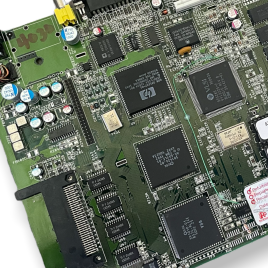
Amiga A1200 Motherboard – Refurbished
- Tested before any work has began.
- All electrolytic capacitors removed using professional tools and techniques (no twisting off caps and boards a pre-warmed before the removing capacitors using hot air) this puts far less stress to the board itself.
- Pads cleaned with flux/wick/IPA.
- New electrolytic capacitors installed using our premium polymer capacitors.
- Modulator removed.
- Timing fix applied for ACA , TF1230, TF1260 Accelerator Cards.
- Board retested - Video (composite and RGB), Audio, CIA, Floppy, IDE, Parallel, Serial, Mouse, Joystick, DF1.
- Board ultrasonic cleaned at 60 degrees using deionised water and professional PCB flux cleaner and then dried.
- Board tested again and tested for a minimum of 4 hrs playing a rolling demo.
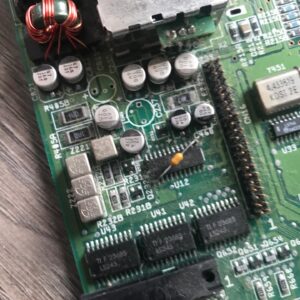 Amiga Motherboard Before being Recapped & Ultrasonic Cleaned[/caption]
[caption id="attachment_17766" align="aligncenter" width="300"]
Amiga Motherboard Before being Recapped & Ultrasonic Cleaned[/caption]
[caption id="attachment_17766" align="aligncenter" width="300"]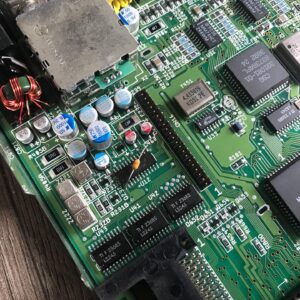 Refurbished Amiga Motherboard - Recapped & Ultrasonic Cleaned[/caption]
Worldwide shipping available simply contact us for a shipping quote.
Refurbished Amiga Motherboard - Recapped & Ultrasonic Cleaned[/caption]
Worldwide shipping available simply contact us for a shipping quote.
Images of the Amiga 1200 motherboard is for illustrative purposes only and are PAL, each unit will show signs of age and use. If you want photos of the Amiga 1200 motherboards we have please contact us.